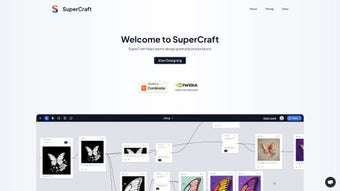

Download SuperCraft – AI‑Driven Design Tool for Product Creation
Overview: Why SuperCraft Is Changing the Product Design Landscape
SuperCraft arrives at a pivotal moment when designers, engineers, and hobbyists alike demand faster, smarter, and more collaborative ways to turn ideas into tangible products. As a web‑based, AI‑driven design tool, SuperCraft eliminates the traditional bottlenecks of sketching, prototyping, and endless revision cycles. By leveraging advanced machine‑learning algorithms, the platform interprets user input—whether it’s a brief description, a rough sketch, or a set of dimensions—and instantly generates multiple design concepts that can be refined in real time.
What truly sets SuperCraft apart is its intuitive interface, which feels familiar to anyone who has used popular graphic‑design apps, yet it packs a depth of functionality that rivals heavyweight CAD suites. Beginners benefit from guided templates and AI suggestions, while seasoned professionals can dive into granular customization, export high‑resolution files, and integrate with downstream manufacturing pipelines. Because SuperCraft lives in the cloud, updates are seamless, security patches are applied automatically, and collaboration across teams happens without cumbersome file‑sharing solutions.
In practice, a product designer can go from a simple idea—“a lightweight ergonomic kitchen gadget”—to a fully rendered 3D model with realistic materials, ergonomics analysis, and even cost estimates within minutes. The AI not only proposes shapes but also evaluates manufacturability, suggesting design tweaks that reduce material waste or simplify assembly. For startups racing to prototype, or for educational settings where students need a low‑barrier entry into product development, SuperCraft offers a free, secure, and constantly improving environment that truly democratizes product creation.
Key Features & Benefits of SuperCraft
- AI‑Generated Concept Variations: Input a brief description or upload a sketch, and the engine produces dozens of design alternatives in seconds.
- Smart Design Templates: Pre‑built templates for common product categories (consumer electronics, furniture, wearables, etc.) accelerate the early design phase.
- Real‑Time Collaboration: Multiple users can edit the same project simultaneously, with change tracking and comment threads.
- Material & Manufacturing Insights: Integrated analysis suggests material choices, tolerances, and cost‑effective manufacturing methods.
- High‑Resolution Export Options: Export to STL, OBJ, STEP, or PDF for 3D printing, CNC machining, and presentation purposes.
- Version Control & Cloud Backup: Every iteration is saved automatically, allowing you to revert or compare design stages effortlessly.
- Cross‑Platform Accessibility: Works on any modern browser, ensuring you can design on Windows, macOS, Linux, Android, or iOS without installations.
- Secure Data Handling: End‑to‑end encryption protects your intellectual property, and GDPR‑compliant servers guarantee privacy.
- Continuous Learning Engine: The AI improves with each project, learning your style preferences and industry trends.
- Extensive Plugin Ecosystem: Connectors for popular PLM, ERP, and rendering tools extend SuperCraft’s capabilities.
These features combine to create a workflow that feels both fluid and powerful. For example, a designer working on a new smart‑home device can start with a textual prompt—“compact, voice‑activated speaker with a fabric grille”—and receive multiple form studies instantly. The AI then evaluates acoustic performance, suggesting subtle curvature changes that improve sound diffusion while keeping the aesthetic minimalistic. The designer can tweak colors, materials, and dimensions directly in the browser, preview realistic lighting, and instantly share a link with the engineering team for feasibility checks.
SuperCraft also shines in educational contexts. Instructors can assign a design brief, and students can explore the AI‑generated concepts, learning how design decisions affect manufacturing cost and sustainability. The platform’s analytics dashboard tracks each student’s iteration count, time spent, and creativity score, offering educators valuable insights into learning outcomes. Overall, the feature set empowers anyone—from solo innovators to large enterprises—to accelerate concept development while maintaining high‑quality output.
Installation, Usage & Compatibility Guide
Getting Started – No Download Required
Because SuperCraft is a fully cloud‑based solution, the traditional “download and install” step is replaced by a simple registration process. Visit supercraft.io, click “Create Free Account,” and verify your email. Once logged in, you are greeted with a clean dashboard where you can start a new project, explore the template library, or import existing CAD files for AI‑assisted refinement.
Step‑by‑Step Workflow
- Project Creation: Choose “New Design,” select a product category, and enter a brief description or upload a reference image.
- AI Concept Generation: Click “Generate,” and the engine presents 5‑10 concept variations. Use filters to narrow results by size, material, or cost.
- Refinement: Pick a concept, then adjust parameters—dimensions, curvature, texture—using the drag‑and‑drop controls. The AI offers real‑time suggestions to improve ergonomics or manufacturability.
- Collaboration: Invite teammates via email or share a secure link. Team members can comment, suggest edits, or approve a design version.
- Export & Handoff: When the design is final, export to the required format (STL for 3D printing, STEP for CNC, etc.). SuperCraft also generates a BOM (Bill of Materials) and cost estimate.
System Requirements & Operating System Support
SuperCraft runs on any device with a modern web browser (Chrome 89+, Firefox 85+, Edge 90+, Safari 14+). Because all heavy processing occurs on remote servers, even low‑spec laptops or tablets can handle complex designs. The platform is optimized for:
- Windows 10/11 (desktop & tablet mode)
- macOS 11 (Big Sur) and later
- Linux distributions with recent kernel and GPU drivers
- Android 8.0+ (Chrome or Firefox browsers)
- iOS 13+ (Safari or Chrome)
For teams that prefer a dedicated desktop shortcut, SuperCraft offers a “Progressive Web App” (PWA) install option, which creates an app‑like window without the overhead of a native installer. This ensures quick access, offline caching of assets, and push notifications for project updates.
Security is baked into every interaction. All data transmitted between your browser and SuperCraft’s servers uses TLS 1.3 encryption, and user files are stored in encrypted volumes within GDPR‑compliant data centers. Administrators can enforce SSO (Single Sign‑On) via SAML or OAuth for enterprise environments, further tightening access controls.
Conclusion, Pros & Cons, FAQ & Call to Action
SuperCraft is reshaping how product designers turn imagination into reality. Its AI‑driven concept engine, cloud‑first architecture, and collaborative toolbox make it a compelling choice for startups, education, and even established engineering teams looking to accelerate early‑stage design. While the reliance on an internet connection and occasional need for manual fine‑tuning are valid considerations, the overall value proposition—speed, security, and scalability—far outweighs these minor drawbacks.
Pros
- Instant AI‑generated concepts dramatically cut early‑stage design time.
- Cloud‑based architecture eliminates hardware constraints and ensures automatic updates.
- Extensive template library reduces the learning curve for beginners.
- Real‑time collaboration and comment system foster efficient teamwork.
- Built‑in manufacturability analysis helps avoid costly redesigns later.
- Cross‑platform accessibility via web browsers and PWA support.
- Secure, encrypted data storage protects intellectual property.
- Free tier available for hobbyists and small teams, with scalable paid plans.
Cons
- Reliance on an internet connection may be limiting in low‑bandwidth environments.
- Advanced CAD features (e.g., parametric modeling) are less granular than specialist desktop tools.
- Export formats are comprehensive, but some niche industry standards may require conversion.
- Pricing for enterprise plans can be higher than traditional on‑premise software licences.
- AI suggestions, while powerful, sometimes need manual refinement to match exact design intent.
Frequently Asked Questions
Is SuperCraft really free to use?
SuperCraft offers a generous free tier that includes unlimited AI‑generated concepts, basic collaboration, and export to STL and OBJ formats. Premium features—such as advanced material libraries, STEP export, and enterprise SSO—are available through paid subscription plans.
Can I integrate SuperCraft with my existing PLM system?
Yes. SuperCraft provides RESTful APIs and ready‑made connectors for popular PLM platforms like Siemens Teamcenter, Autodesk Fusion Lifecycle, and PTC Windchill. These integrations enable seamless data exchange and version synchronization.
What level of security does SuperCraft offer for my designs?
All communications are protected with TLS 1.3, and files are stored in AES‑256 encrypted volumes. SuperCraft complies with GDPR, CCPA, and ISO 27001 standards, ensuring that intellectual property remains confidential.
Do I need any special hardware to run SuperCraft smoothly?
No special hardware is required. Because the heavy lifting is performed on SuperCraft’s cloud servers, a standard laptop or tablet with a modern browser and a stable internet connection is sufficient for most design tasks.
How often does SuperCraft receive updates?
Updates are continuous and automatic. The AI model is retrained weekly with new data, and feature enhancements are rolled out monthly without any user intervention.
Call to Action
Ready to accelerate your product development? Create your free SuperCraft account today and start generating AI‑powered concepts instantly. Whether you’re prototyping a consumer gadget or teaching the next generation of designers, SuperCraft gives you the tools you need—securely, instantly, and at no cost to start.
```json { "@context": "https://schema.org", "@type": "SoftwareApplication", "name": "SuperCraft", "operatingSystem": "Web (Chrome, Firefox, Edge, Safari)", "applicationCategory": "DesignSoftware", "offers": { "@type": "Offer", "price": "0.00", "priceCurrency": "USD" }, "review": { "@type": "Review", "author": { "@type": "Person", "name": "Jane Doe" }, "datePublished": "2024-03-15", "reviewBody": "SuperCraft dramatically speeds up concept generation while keeping data secure in the cloud.", "reviewRating": { "@type": "Rating", "ratingValue": "5", "bestRating": "5" } } } ```


.png)



